Simple Math is actually Hard?
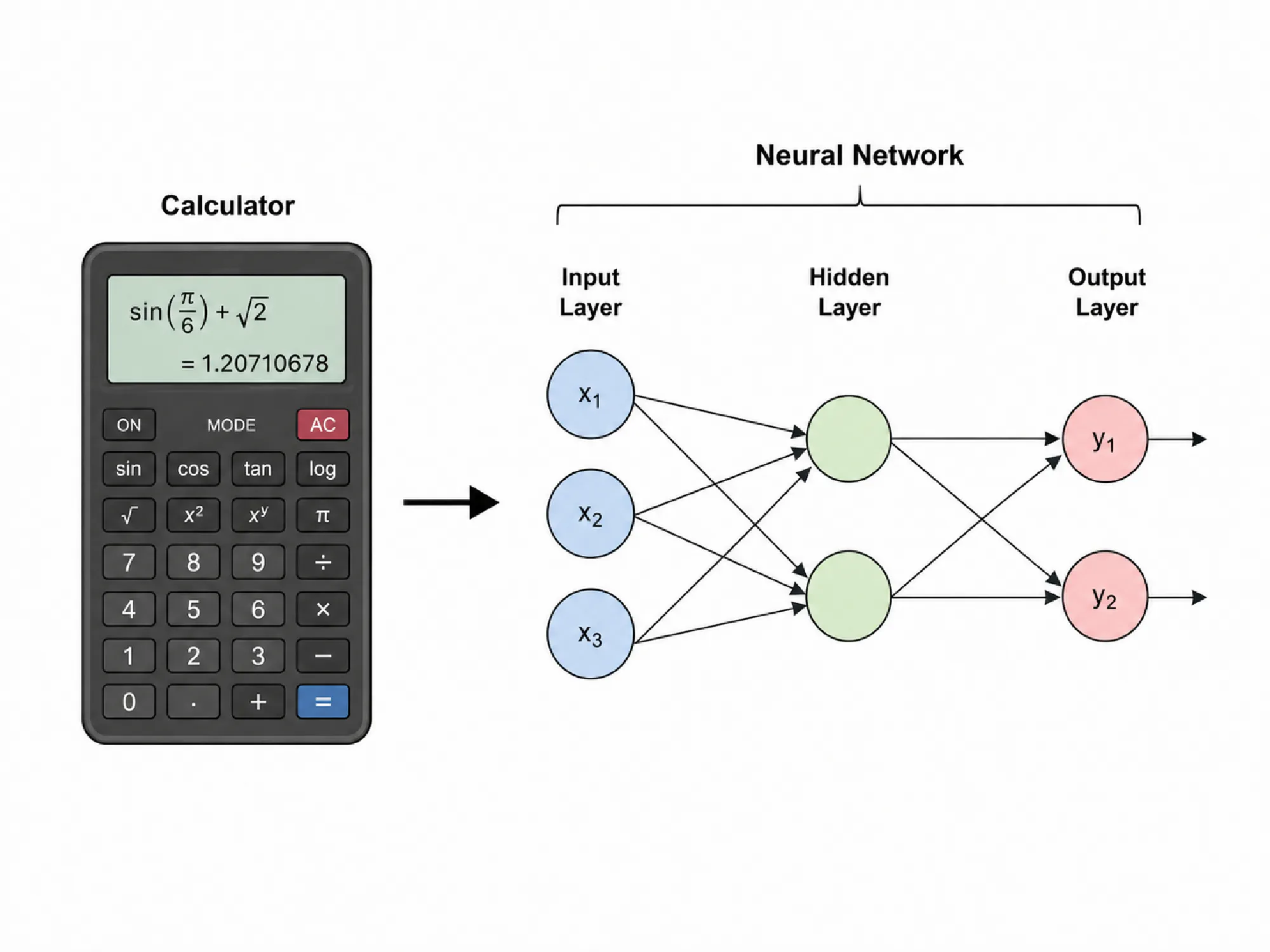
A very simple problem with large language models, which frequently gets highlighted, is their poor ability to accurately do simple grade school math. Something that would be easy for human beings, even just in their head, can be surprisingly difficult for these models to do reliably.
There are many benchmarks for model performance on simple math problems, and their results are often disappointing. This isn’t that surprising, given that their training is based on next token prediction, which isn’t as well suited to number crunching like a calculator. Computers though, should be very good at number crunching. If we could just hook up LLMs to a calculator, we could fix this problem.
LLM Tool Calls
If we can get the LLM to output something that looks like a function call, we can provide some parsing logic, actually execute the request deterministically, and provide the final answer back to the model. This way the model is only concerned with providing the right inputs, for which it can leverage its next token prediction, and then we can be certain that with the right inputs we will also be getting the right outputs.
Calculator Example
Let’s write the simplest possible LLM tool call for a calculator. We can use Python for this. A similar example is also provided by OpenAI’s function calling page.
  1from openai import OpenAI
  2import json
  3
  4client = OpenAI(api_key="your_api_key_here")
  5
  6# 1. Define a list of callable tools for the model
  7tools = [
  8    {
  9        "type": "function",
 10        "name": "calculate",
 11        "description": "Execute a simple arithmetic operation on two integers.",
 12        "parameters": {
 13            "type": "object",
 14            "properties": {
 15                "first": {
 16                    "type": "integer",
 17                    "description": "First number",
 18                },
 19                "second": {
 20                    "type": "integer",
 21                    "description": "Second number",
 22                },
 23                "sign": {
 24                    "type": "string",
 25                    "description": "Symbol to execute the operation",
 26                },
 27            },
 28            "required": ["first", "second", "sign"],
 29        },
 30    },
 31]
 32
 33#2. Define the function logic that will execute when the model calls the tool
 34def calculate(first: int, second: int, sign: str) -> int:
 35    if sign == '+':
 36        return str(first + second)
 37    elif sign == '-':
 38        return str(first - second)
 39    elif sign == '*':
 40        return str(first * second)
 41    elif sign == '/':
 42        return str(first / second)
 43    else:
 44        raise ValueError(f'Unknown sign: {sign}')
 45
 46# Create a running input list we will add to over time
 47input_list = [
 48    {"role": "user", "content": "What is 221 * 645?"}
 49]
 50
 51print("User Question:")
 52print("What is 221 * 645?")
 53print("\n")
 54
 55# 3. Prompt the model with tools defined
 56response = client.responses.create(
 57    model="gpt-4.1-mini",
 58    tools=tools,
 59    input=input_list,
 60)
 61
 62# Save function call outputs for subsequent requests
 63input_list += response.output
 64
 65# 4. If the function call is present in the model's response, attempt to execute it
 66for item in response.output:
 67    if item.type == "function_call":
 68        print("Model Output:")
 69        print(item)
 70        print("========LLM Invoked Function Call============")
 71        print(f"Function Call: {item.name}")
 72        print(f"Arguments: {item.arguments}")
 73        if item.name == "calculate":
 74            # 5. Execute the function logic for calculate
 75            first = json.loads(item.arguments)["first"]
 76            second = json.loads(item.arguments)["second"]
 77            sign = json.loads(item.arguments)["sign"]
 78            result = calculate(first, second, sign)
 79
 80            # 6. Provide function call results to the model
 81            input_list.append({
 82                "type": "function_call_output",
 83                "call_id": item.call_id,
 84                "output": result,
 85            })
 86
 87            print(f"Function Call Output: {result}")
 88        print("=============================================")
 89        print("\n")
 90
 91# 5. Prompt the model again with function call outputs for final answer
 92response = client.responses.create(
 93    model="gpt-4.1-mini",
 94    instructions="Respond only with the full answer in plain text format.",
 95    tools=tools,
 96    input=input_list,
 97)
 98
 99print("========LLM Recieved Call Answer============")
100print("Final output:")
101print(response.output_text)
102print("============================================")Step 1 in the above code defined what calling the calculate function would require:
- Type: function
- Name: calculate
- Parameters: first, second, sign
When the model registers that calculate would be useful it sends a response to us that looks like this:
1[ResponseFunctionToolCall(
2  type='function_call',
3  name='calculate',
4  arguments='{"first":221,"second":645,"sign":"*"}'
5)]
At step 4 in our code we check for any responses with type function. If we find one we parse out the function name. We use the provided paramters to run the appropriate function as a “tool call”. Then we simply provide the result of the function to our chat history for the model to observe.
The last part is simply asking the model to use the output from the function to answer the original question as a sentence which it can easily do.
Here is the full print output of the code block:
 1User Question:
 2What is 221 * 645?
 3
 4
 5Model Output:
 6ResponseFunctionToolCall(arguments='{"first":221,"second":645,"sign":"*"}', call_id='call_IA3XFzdm5YcamN26Nd7WeISX', name='calculate', type='function_call', id='fc_088a460995856027006a51ee403ea081929c055bb039b6a32c', caller=None, namespace=None, status='completed')
 7========LLM Invoked Function Call============
 8Function Call: calculate
 9Arguments: {"first":221,"second":645,"sign":"*"}
10Function Call Output: 142545
11=============================================
12
13========LLM Recieved Call Answer============
14Final output:
15221 multiplied by 645 is 142,545.
16============================================By providing function calls to the model we can leverage our ability to execute functions reliably so long as the model is able to correctly identify when functions can be invoked and with the right arguments.
Generating Testing Values
In order to test how well a model can predict random arithmetic operations we have to first generate a few random values so that we can compare the results with and without tool calls.I picked two ways of generating values randomly:
- For a linear approach we pick a random magnitude from -5 to 5 as the exponent and a random value from -1 to 1 and we get a random value back of \([value * 10^{exp}]\)
- For a gaussian approach we use a normal distribution with a set standard deviation. This ensures that our values are a bit closer to what we would consider normal, from around 100 to 0.001 with a low chance of outliers.
Both distributions can be seen visualized below for 100 distinct values.
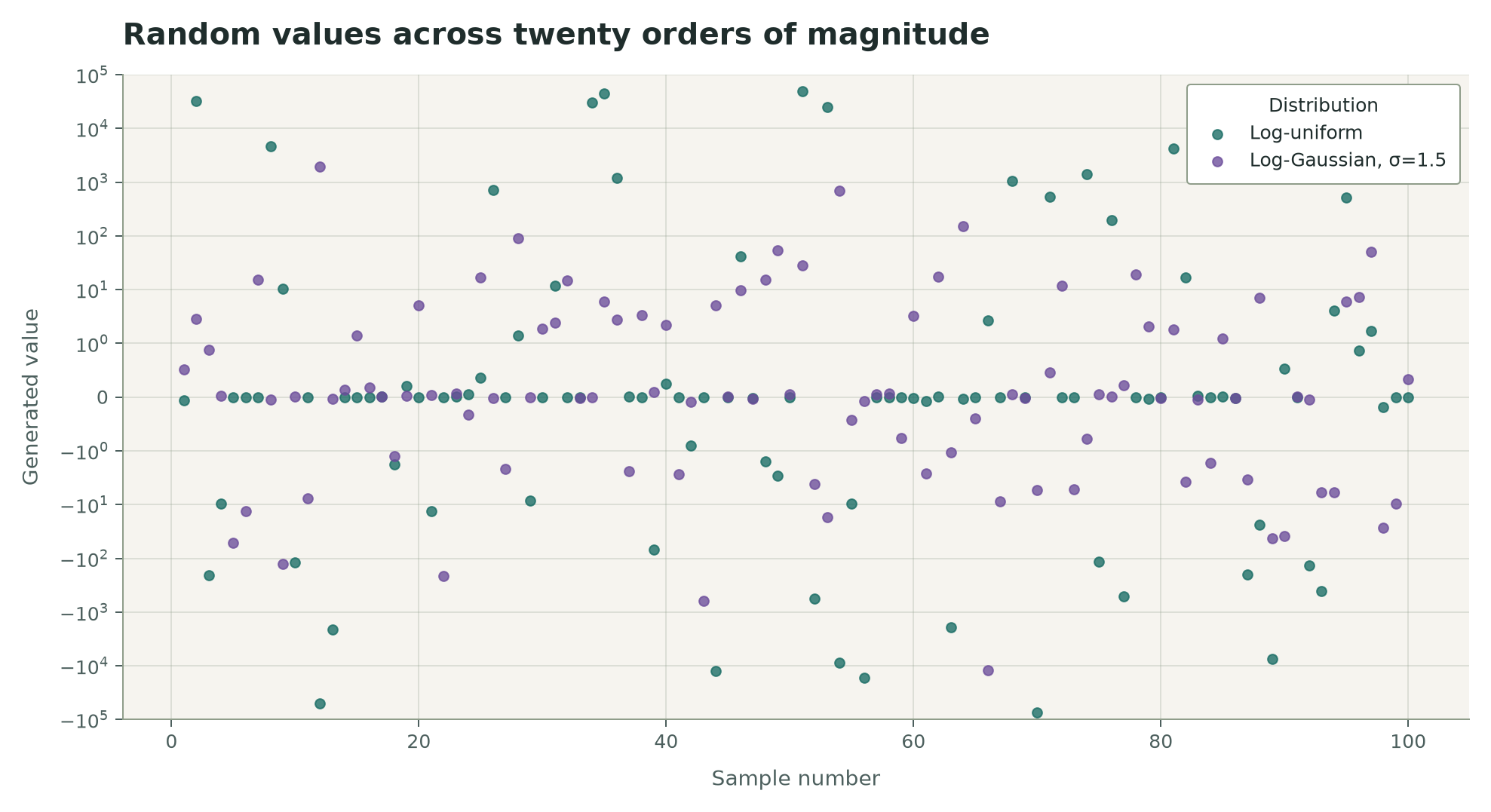
Unfortunately the values which are generated for negative magnitudes of 10 are compressed into a very smal range inside -1 to 1.
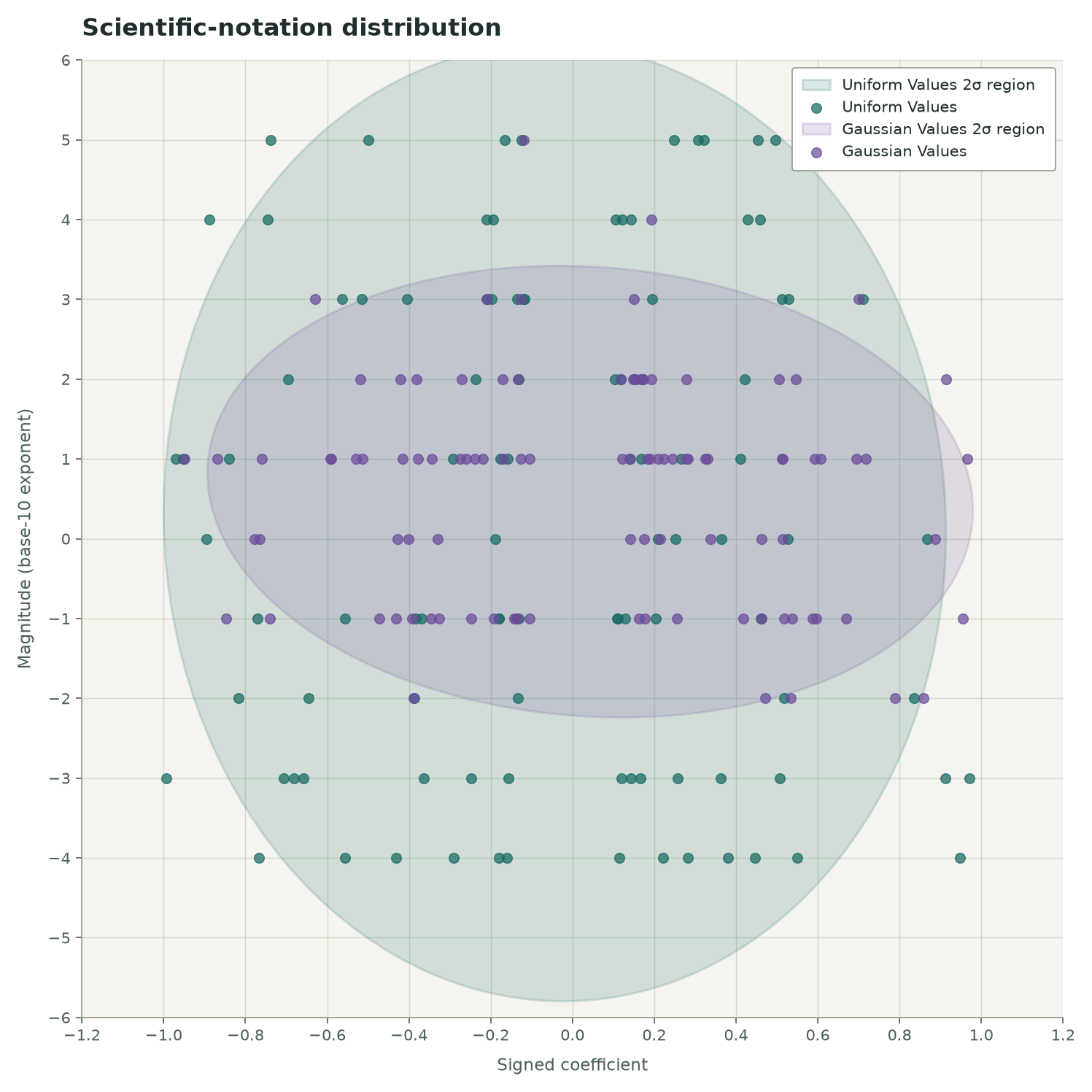
It helps to plot the charts on a scale of magnitude versus their coefficients and draw the regions where 95% of the values (2 sigma) are found for each distribution. In the chart below we see that we get a much tighter range from the gassian distribution than we do from the linearly generated one. Based on the kind of values we want to test with we we can see if the model performs better or worse when the values are more or less spread out.
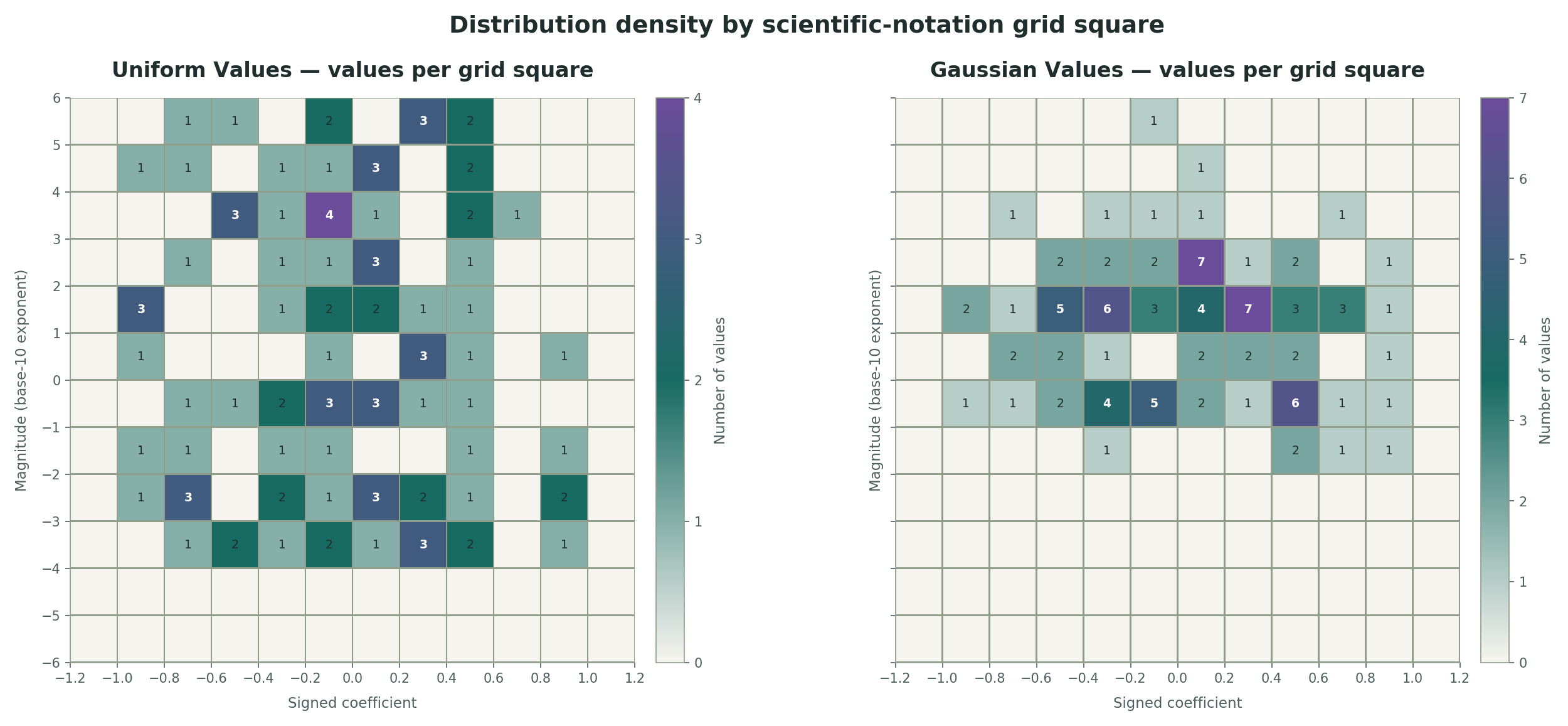
We can also heatmap the values into a 2D grid to see where the values are concentrated. The heatmaps show the values for both the linear and gaussian distributions. This is a similar view to the sigma region chart above, but it shows the distribution in a more concentrated way.
We’ll use both of these distributions to generate random values for testing the model’s ability to do simple math with and without tool calls. The next step is to run a series of tests using these generated values and compare the results.
Testing the Model without Tool Calls
With the test data we have available we can pick two random values and a random operator and ask the model to calculate the result without using tool calls. We can then compare the model’s output with the actual result of the operation and see how well it performs.

Comments